
Restaurant ordering and billing, with AI
Smart ordering with AI, for restaurants, hotels and stays, and grocery stores.
No setup fees. No onboarding costs.*
*A one-time KYC verification fee applies.
Admin. Kitchen. Waiter. AI Chatbot.

Who it's for
One platform. Three kinds of business.
The same ordering, kitchen and billing engine, shaped for the way each business serves its customers.
Live Restaurant Simulation
Watch orders move from AI to kitchen to dashboard in a single, connected flow.
HungryBotz AI
A product of Airbotz
Chicken Burger
Chat active
Administrator
Approved instantly
No staff delay
Kitchen
Preparing
Live prep status
Dashboard
Rs 84,250
Realtime visibility
Served
1240 completed
Service finished
How it works
Three ways to order, one kitchen
A guest at home, a family at your counter and a table in your dining room. Follow three orders into one kitchen and out again, each the way it should go.
For your guests
- Order from home, at the counter or from the table
- Scan the table's QR code with their own phone
- Nothing to install
- See the order's status on the phone
For your restaurant
- Every order on one kitchen screen
- Dine-in, takeaway and delivery from one counter screen
- No handwritten slips between the floor and the kitchen
- Delivery by your own riders
- Each order goes out the way it came in

HungryBotzAI WaiterA product of Airbotz
A premium AI waiter that welcomes guests, takes orders, nudges upsells, and keeps your restaurant moving without extra staff friction.


What your guests see
Your menu answers for itself
The HungryBotz chat. A guest asks what the Paneer Butter Masala is like and how many calories it has, and the chat answers from the restaurant's menu. The guest adds the dish, the chat suggests a bread and a drink, and the guest adds both.
Upsell engine
A bigger basket, without a pushy waiter
- It offers the natural next thing
- Your own pairings come first
- At the moment it helps
- You see what it earned
Example: what a bigger basket adds up to
A restaurant with 1,500 orders a month, at Rs 400 an order.
If suggestions grow the average order by
Average order
+25%
Rs 400 becomes Rs 500.
More sales a month
Rs 1,50,000
1,500 orders x Rs 100 more each.
What suggestions add at your restaurant depends on your menu and your guests.
Talking AI Waiter
Soon, guests can just talk to order
Tap Talk and just speak
In your language
Interrupt any time
It reads the order back
A preview of the talking AI Waiter, which is coming soon. The waiter asks which language the guest prefers, hears an order of two masala dosas and a filter coffee, reads it back, and sends it to the kitchen when the guest says yes.
Complete Restaurant OS
Everything your restaurant needs. One platform.
Admin
Realtime Management
admin.airbotz.com
Kitchen
Instant order updates
kitchen.airbotz.com
Waiter
Take orders faster
waiter.airbotz.com
AI Chatbot
Customers order via AI
chat.hungrybotz.com
HungryBotz — A product of Airbotz
Restaurant Types
Built for every restaurant format
From cafes to cloud kitchens, Airbotz fits the way each business takes orders, runs service, and scales operations.
Cafe
Speed up morning rush, reduce queue friction, and keep repeat customers ordering faster.
Fine Dining
Coordinate staff, kitchen, and table service with cleaner handoff and real-time control.
Cloud Kitchen
Handle high order volume with less manual coordination and better kitchen visibility.
Food Court
Move orders faster during peak hours with instant updates across counter and kitchen.
Multi-branch
Monitor multiple outlets from one system and keep operations standardized across locations.
Food Trucks
Run lean operations with a lightweight flow that works on mobile devices and limited space.
Street Vendors
Take quick orders, reduce confusion, and manage busy demand without extra complexity.
Bakery
Handle walk-ins, pre-orders, and fast-moving counters with smoother order flow.
Built for growth.
Faster. Smarter. Effortless.
Increase Revenue Automatically
AI suggests add-ons and increases order value.
Eliminate Order Mistakes
Orders go directly to the kitchen. Nothing is typed twice.
Serve Faster
Instant sync improves table turnover.
Run From Anywhere
Monitor your restaurant in real-time.
Repeat business
Subscriptions and pre-orders
Two ways to be paid before you cook: meal plans your regulars subscribe to, and orders booked for a later date.
Subscriptions
Meal plans
Sell a plan once and deliver it on the days your guest chooses. They pay up front; your kitchen knows what is due each day.
- Several lengths for one planSell the same plan for a week, a month or longer, each with its own price and discount.
- Delivery days and time slotsYou set the days and up to six delivery windows. The guest picks theirs.
- Skip and pauseA guest can skip a day before your cut-off, and pause within the limit you set.
- A menu for the week, with photosShow what is cooked each day, with a photo for the plan and for each day.
- Extra orders ride alongAn order placed for the same delivery slot goes on the same trip, with no second delivery charge.
- A kitchen board of its ownThe day's plan meals are listed together for the kitchen, stop by stop.
- Invoice, reminder and reportsA tax invoice at purchase, a reminder before the plan ends, and reports on your plans.
Pre-orders
Orders for a later date
A guest pays today and chooses the date and delivery slot. The order waits out of the kitchen's way until its day.
- A booking window you setFrom one day to a year ahead, and different for each branch if you like.
- Paid up frontThe guest picks a date and a delivery slot from a calendar, and pays now.
- Closed days cannot be bookedYour weekly days off are greyed out on the guest's calendar.
- Kept apart until the dayA pre-order sits on the kitchen's Pre-orders tab, then joins the live board on its delivery day, marked as a pre-order.
- What is coming, in AdminAn Upcoming pre-orders panel, and a warning before you close a branch on a booked date.
- A confirmation that says whenThe guest's message names the date and the time window.
Pre-orders are for delivery orders and need at least one delivery time slot. Some plan options, such as several lengths for one plan, run in India only.
Meal plans, as your guests see them
Sell a month of meals in one payment

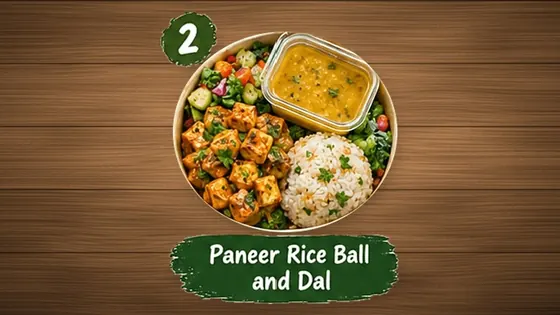
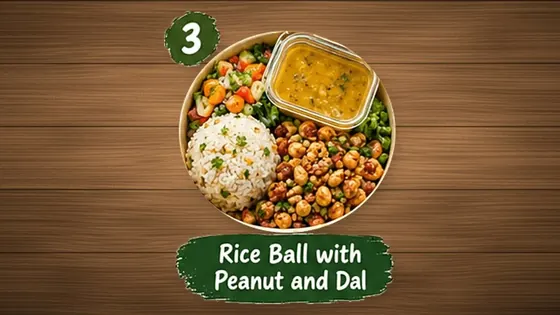
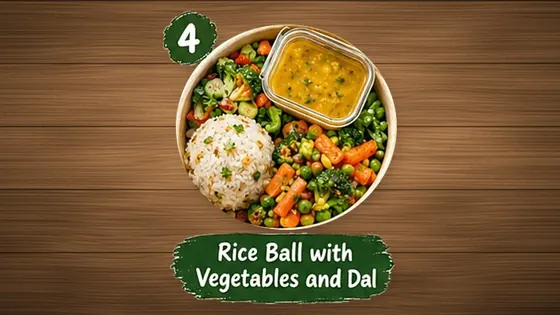
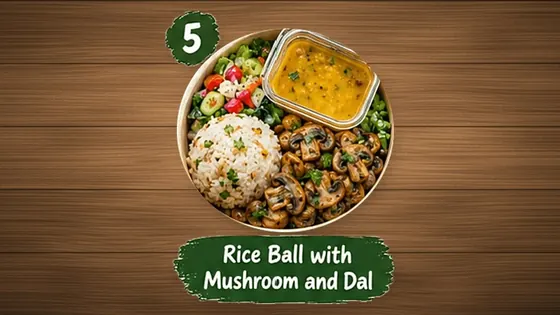
The HungryBotz Meal plans page for the restaurant Protein Bite. A guest opens the Healthy Lunch Plan, picks the Monthly length of 22 meals at 224 rupees a meal, sees the week's menu, pays 4,928 rupees once, and later skips one day from the My plan screen.
For restaurants, in numbers
What Airbotz changes
Four things that are true of every order, then an estimator for your own restaurant.
100%
of orders reach the kitchen screen as they were placed
From the POS, the waiter app or the guest's phone. Nobody types an order twice.
0
apps for your guests to install
A QR code or a link opens the menu in the phone's own browser.
4
apps that update each other live
Admin, Kitchen, Waiter and the guest app. A change on one shows on the others without a refresh.
24/7
answers to guests' menu questions
The AI chat replies from your own menu at any hour, with no one at the phone.
Estimator
Work it out for your restaurant
Move the sliders to your own numbers. Every figure on the right is plain arithmetic on what you enter, with its working shown.
Average bill
+ 2%
15% of guests × Rs 60 = Rs 9 more on a Rs 450 bill.
Extra sales a month
Rs 32,400
120 orders a day × 30 days × Rs 9.
Staff time given back
43.3% of a job
90 hours a month: 50% of 120 orders × 3 min × 30 days, if those guests order by QR or online instead.
Orders typed in twice
− 100%
An order placed on Airbotz goes to the kitchen screen as it is. This one is how the product works, not an estimate.
An estimate from the numbers you entered. It is not a promise and not a measured result, and the starting values are examples, not averages. A month is taken as 30 days and a full-time job as 208 hours a month.
What's included with Airbotz
One platform for restaurants. Everything a restaurant needs — POS, kitchen display, online ordering, AI chatbot, reservations, and more.

Unique to Airbotz
Multi-region data residency — Your data stays in your country (India ↔ Canada), with auto-routing to the nearest region. No competitor offers true multi-region.
HungryBotz AI Chatbot — Trained on your menu, answers diner questions, takes orders, supports diet preferences. Built in, not bolted on.A product of Airbotz
Table and parcel on one bill — A guest at a table can add items to take away on the same order, with packing charges worked out per item.
Real-time WebSocket order sync — POS, kitchen, waiter, and diner views update live across all 4 modules. No polling delay.
Keeps working through internet drops — Every app opens without internet, and the POS and the waiter app queue orders and send them when the connection returns. Guests need internet to pay.
Unlimited branches & staff — No per-location fees, no per-user pricing. Add as many outlets and team members as you want.
Country-aware tax and currency — GST/HST handled automatically, tips on the dine-in bill, and packing charges for parcel orders.
One-time-code sign-in for guests — Guests sign in with a code sent to their phone, with no password to remember. Staff have their own logins and roles.
Pricing for other tools is based on publicly listed mid-tier monthly subscriptions for a single restaurant location. Actual prices vary by plan and add-ons.
Airbotz is free for restaurants*. We earn through payment processing partnerships and enterprise-tier services.
For restaurants
Every feature, in one list
Everything a restaurant gets with Airbotz today. Pick a group or search.
Showing 66 of 66 features.
Guest ordering
19- QR dine-in orderingGuests scan the table's code, order in rounds and pay from their own phone.
- Takeaway orderingGuests order ahead and collect.
- Delivery by your own ridersA delivery area, a per-km charge, saved addresses and an out-for-delivery status.
- Delivery-only modeFor cloud kitchens: switch takeaway off and take delivery orders alone.
- Delivery time slotsGuests choose when the order should arrive.
- Pre-ordersGuests order today for a later date.
- AI chat on your menuAnswers guests' questions from your own menu and takes the order in the chat.
- Voice typing in chatGuests can speak their message instead of typing it.
- Suggested add-ons"Goes well with" suggestions on the menu, in the cart and in chat. You can write your own pairings.
- Table and parcel on one billA guest at a table can add items to take away on the same order.
- TipsGuests can add a tip to the dine-in bill.
- Order notesA note to the kitchen on dine-in, takeaway and delivery orders.
- Order status notificationsPush notifications as the order moves, at no charge.
- WhatsApp order updatesIndiaOrder status on WhatsApp, with SMS as the fallback.
- Ready-for-pickup messageIndiaThe guest is told by SMS and WhatsApp when a takeaway order is ready.
- One-time-code sign-in for guestsNo password to remember, and guests stay signed in.
- Nothing to installThe menu opens in the phone's browser, and can be added to the home screen.
- Order from your own websiteEmbed your ordering page on your site.
- Branded short links and QR codesOne per branch, showing your name and logo when the link is shared.
Menu
5- Sub-categories and portionsGroup dishes, and sell a dish in more than one size.
- Dish timingsOffer a dish only in its hours, such as breakfast items in the morning.
- Out-of-stock switchMark a dish sold out and it leaves the guest menu at once.
- Opening hours and closuresWeekly days off, closed dates and holidays, respected by every ordering mode.
- Tax per dishSet the tax rate dish by dish.
POS and billing
6- Counter POSDine-in, takeaway and delivery orders from one screen, with a delivery slot.
- Counter payment methodsIndiaRecord cash, card-machine and wallet payments at the counter.
- Tax invoicesIndiaA GST Tax Invoice with your GSTIN and FSSAI number, or a Bill of Supply until you have a GSTIN.
- Packing and service chargesPer-item packing charges, a service charge and round-off, worked out for you.
- Table reservationsTake and manage table bookings from Admin and the waiter app.
- New-order bellAdmin rings when a new order arrives.
Kitchen
5- Live kitchen boardOrders by station as they arrive, with one tap to move every item on.
- Alerts with the app closedA new order notifies the kitchen device even when the app is not open.
- Pre-orders tabOrders for later dates sit apart until their day.
- Delivery details on the ticketThe customer's name, phone and address travel with a delivery order.
- Kitchen printingPrint kitchen tickets from the kitchen screen.
Waiter app
4- Tables and roundsSee the floor, send each round to the kitchen and settle the bill at the table.
- Parcel switch per itemMark any item on a table's order as takeaway.
- Works through internet dropsOrders queue on the device and send when the connection returns, without duplicates.
- PIN sign-inIndiaA waiter sets a 4-digit PIN once and signs in with it.
Payments
5- Online paymentsIndiaGuests pay by UPI, card or net banking at checkout.
- Nightly payoutsIndiaEach day's online sales are settled to your bank, with the bank reference recorded.
- Owner-only settlement pagePayouts sit behind their own password, away from staff logins.
- Settlement reportWhat was collected, what was paid out, and when.
- Payment attemptsSee online payments that did not become an order, with the references to chase them.
Customers and marketing
5- Customer directoryEveryone who has ordered, with what they ordered and when.
- Feedback and ratingsGuests' stars and comments come to you, and happy guests are invited to review you on Google.
- CouponsDiscount codes that work in the guest app and at the counter.
- SMS campaignsIndiaMessage your customers in bulk. Prepaid, charged per SMS.
- WhatsApp campaignsIndiaSend your customers a WhatsApp campaign from the same list.
Reports and AI Co-Pilot
5- Reports centreSales, items, categories, orders and payouts for any dates, to view or export.
- Upsell performanceHow many add-on suggestions were shown and taken, on your dashboard.
- AI Co-PilotAsk questions about your own orders and menu in plain words.
- WhatsApp briefsIndiaA daily and weekly summary of your business on WhatsApp, for verified restaurants.
- Co-Pilot payout reportPaid add-onA detailed payout report for the period you pick.
Operations
5- SOP daily checklistsOpening, closing and hygiene checklists, with escalation when one is missed.
- Corporate invoicingBill a company monthly for its staff's meals.
- Food subscriptionsSell meal plans of several lengths, delivered on a schedule.
- Print AgentBills and kitchen tickets on the counter PC's thermal printers, reconnecting by itself.
- Bluetooth printingPrint from an Android phone or tablet to a Bluetooth printer.
Branches, staff and security
4- Multiple branchesEach branch with its own name, logo, contact details and links.
- Team roles and permissionsDecide which screens each role can open.
- Staff recordsKeep your team's details in one place.
- Security passwordA second password guards Settlement, Settings and your profile.
Platform
3- Live across every screenPOS, kitchen, waiter and guest views update together, with no refresh.
- Installable appsEach app installs like a native app and opens even without internet.
- Data kept in your regionYour data is stored in your own region.
India marks a feature that runs in India only. Paid add-on marks one you pay for separately.
For restaurants, in detail
Each part, on its own page
What each part does, how it works and what you need to start.
Guides: how each of these works, step by stepComparisons: which kind of tool fits you
Setup & Support
Easy to start. Easy to run.
Everything restaurants need to get started quickly, without expensive setup or operational friction.
Free setup
Start without setup charges or onboarding cost.
No hardware needed
Run your workflow without buying extra machines.
Works on phone/tablet
Use Airbotz smoothly across mobile and tablet devices.
Go live instantly
Launch fast and start taking orders without delay.